 Pitchside
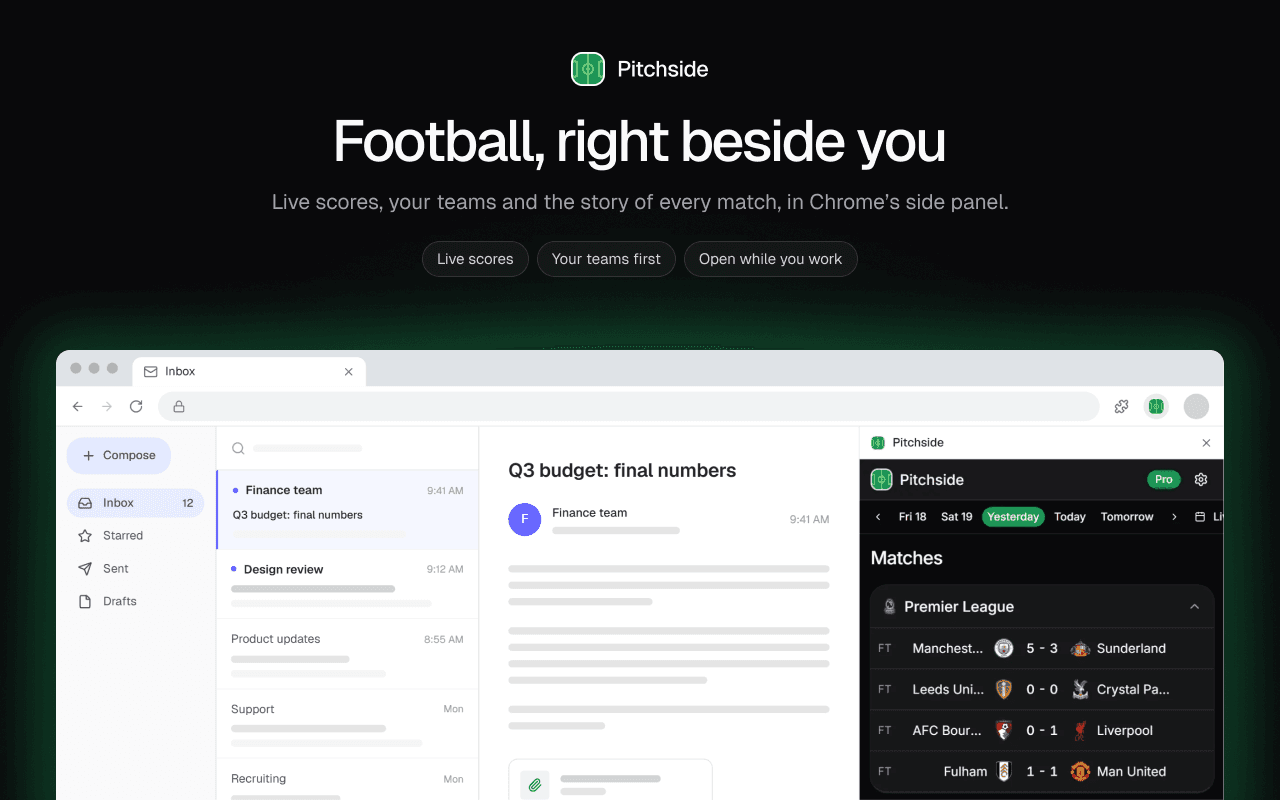
I built Pitchside because I kept losing the thread of matches while I was working. A tab for the score, another for the table, a phone face up on the desk, and still I’d find out about a goal ten minutes late. What I wanted was the game sitting quietly next to my work, one glance away, without taking over the screen.
My first go at this was CupWatch, a side panel companion for the 2026 World Cup: live scores, the groups, the bracket and alerts, all in Chrome’s side panel. It showed me the side panel really is the right place for football. But a World Cup lasts a month, and club football runs all year.
Pitchside is the year-round version. It takes what worked in CupWatch, adds the leagues and teams people follow every week, and goes much deeper into each match.
What is Pitchside?
Pitchside is a Chrome extension that shows live football scores, fixtures, league tables and match statistics in Chrome’s side panel, next to whatever page you have open. You follow your teams and leagues, and their matches come first. It’s free to use, with an optional paid plan, Pitchside Pro, for deeper analysis like shot maps, momentum charts and heatmaps.
Why the side panel?
The side panel sits beside the page you’re on rather than on top of it, and it stays open when you switch tabs. That makes it a good home for something you check often but never want in the way:
- No extra tab. You never lose the score among twenty other tabs.
- It follows you. Move from your inbox to a document to a video call, and the match stays where it was.
- It stays out of your pages. Pitchside runs only inside its own panel. It doesn’t read or change the websites you visit, and it doesn’t ask for permission to.
What you can do with it
Follow live matches. Scores update as the games go on, with the minute and the goalscorers. Pick a day to see fixtures and results, and your followed teams and leagues sit at the top.
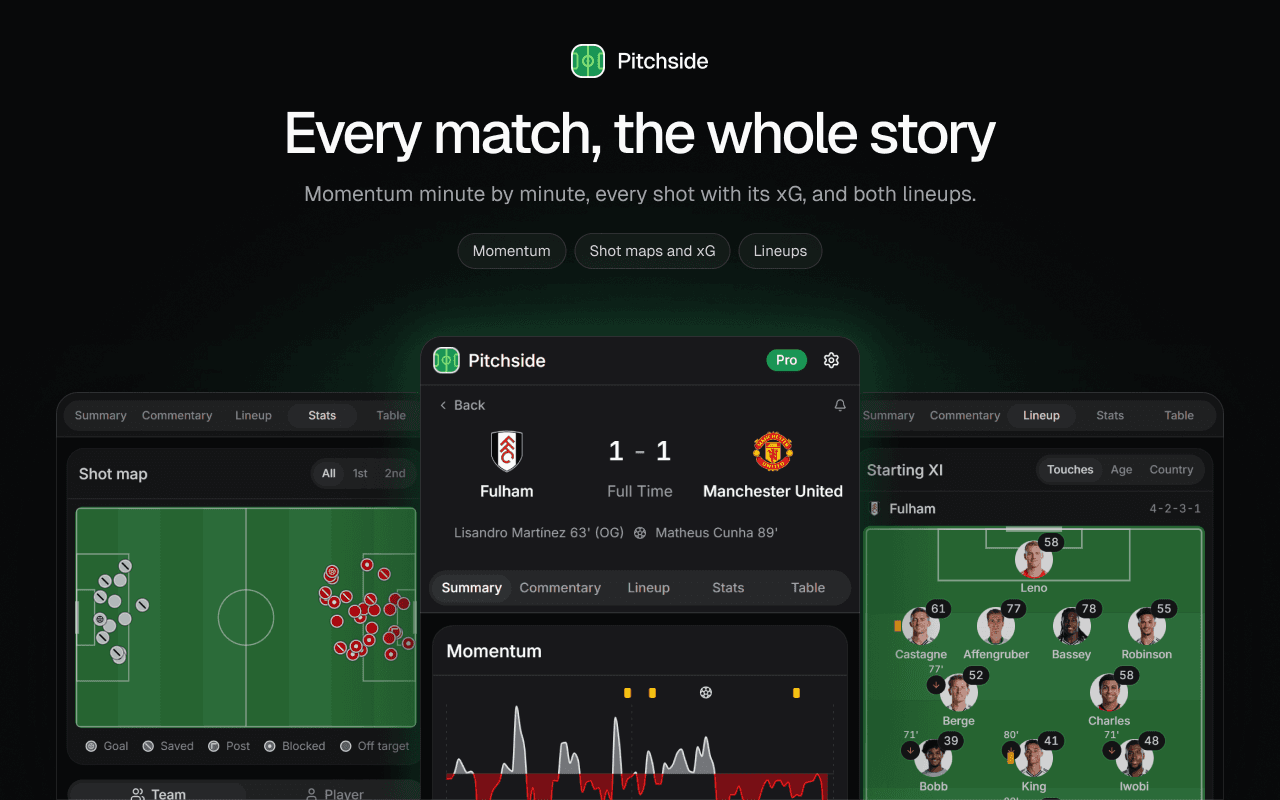
Open any match. Every match has a summary, live commentary, lineups, stats and the league table. For matches with detailed data, you also get a momentum chart that shows which side was on top, minute by minute, and a shot map with the expected goals (xG) of every chance.
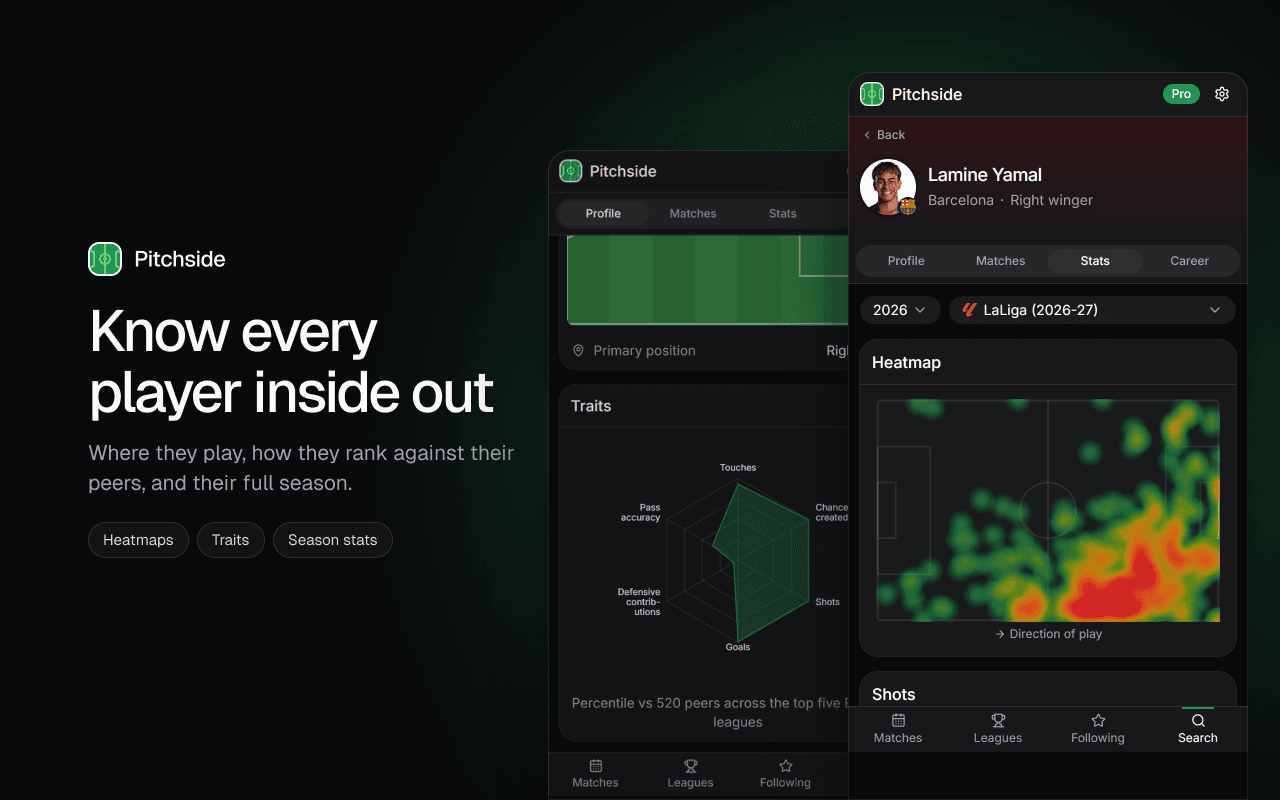
Look up players and teams. Player pages show a heatmap of where they played, how they rank against their peers, their season numbers and their career. Team pages show form, the squad, upcoming matches and a line of where they’ve sat in the table all season.
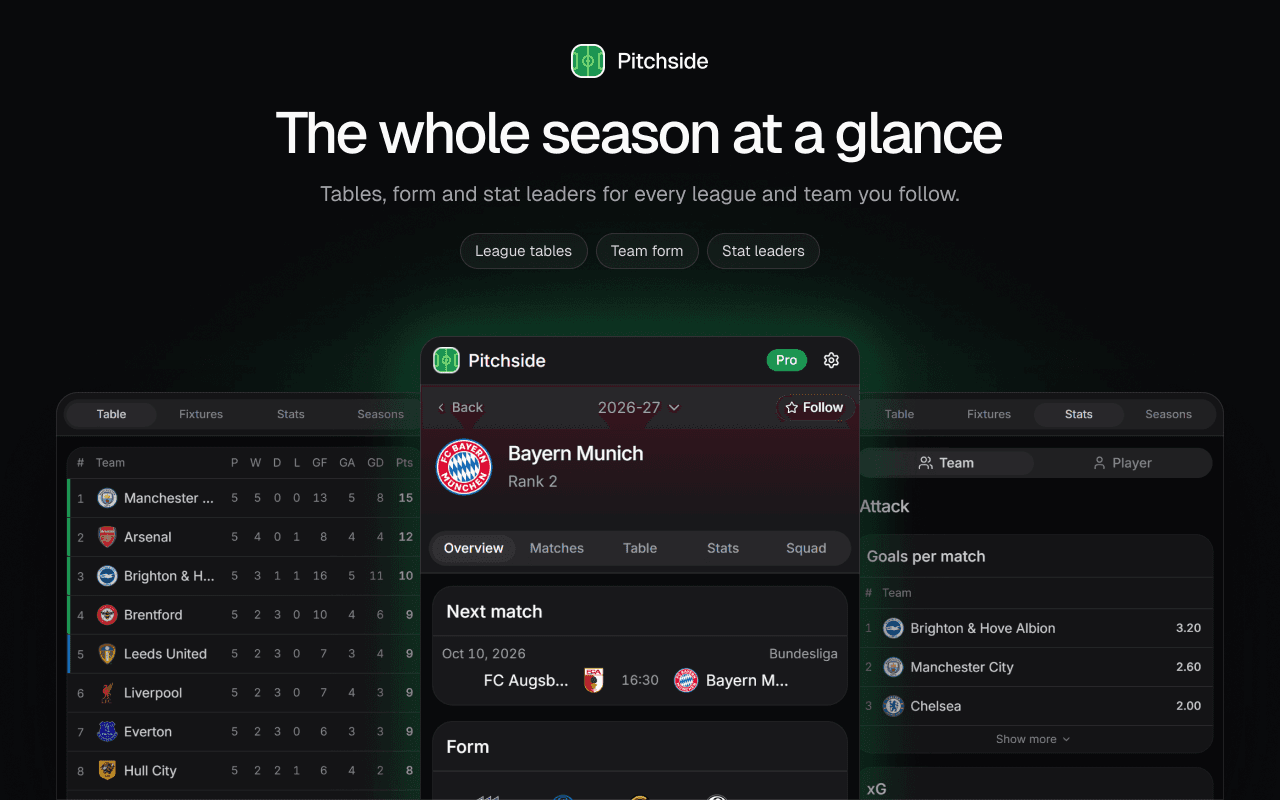
Browse competitions. Tables, fixtures, knockout brackets, stat leaders and past seasons, for every competition Pitchside covers.
Get alerts. Desktop notifications for goals, red cards, full time and kickoff, for the teams and leagues you choose. I’ve written a separate guide to following live football while you work, including how to set these up.
Which competitions does it cover?
Scores, fixtures and tables cover competitions from around the world. The detailed match data, like shot maps, heatmaps and momentum, is deepest in the Premier League, LaLiga, Serie A, Bundesliga, Ligue 1, the Champions League, MLS and the Saudi Pro League. Elsewhere you still get scores, lineups and tables, but not always every chart, because the underlying data isn’t published for every match.
What Pitchside doesn’t do
It’s worth being clear about the limits, so you know what you’re installing:
- It’s built for Chrome. It uses Chrome’s side panel, and Chrome is the browser it’s built and tested for.
- You need a Google account. You sign in with Google so your teams and settings follow you between computers.
- There’s no video. No streams and no highlights: Pitchside is scores, stats and the story of the match in data.
- It’s in English for now. More languages are planned.
- Alerts need Chrome running. Desktop alerts come from the extension, so they only arrive while Chrome is open.
Free and Pro
The everyday essentials are free: live scores, fixtures, tables, lineups, commentary, following and search. Pitchside Pro adds momentum charts, shot maps with xG, heatmaps, player traits, full team and player stats, leaderboards and desktop alerts. It costs $3.99 a month or $29.99 a year, and new accounts can try it free for 7 days without entering a card.
The full breakdown, including what happens when the trial ends, is in Pitchside Free vs Pro.
Frequently asked questions
Is Pitchside free?
Yes. The free plan covers live scores, fixtures, tables, lineups and commentary, with no time limit. Pro is optional and adds the deeper analysis.
Does Pitchside read the websites I visit?
No. Pitchside only runs inside its own side panel. It has no access to the pages you browse.
Do I need to create an account?
You sign in with your Google account. There’s no separate password, and signing in is what keeps your teams in sync across computers.
Does it work in other browsers?
Pitchside is built for Google Chrome and uses Chrome’s side panel. Other browsers aren’t supported yet.
Where do I send feedback?
On the Pitchside feedback board. I read everything that comes in, and it shapes what gets built next.